Round 14 Themes
Jan. 18th, 2025 11:10 pm![[personal profile]](https://www.dreamwidth.org/img/silk/identity/user.png) thewizardofoz posting in
thewizardofoz posting in ![[community profile]](https://www.dreamwidth.org/img/silk/identity/community.png) characters20in20
characters20in20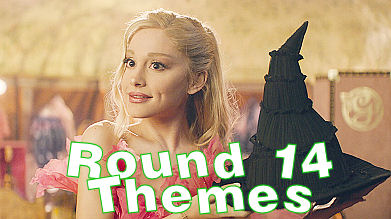
Info
• You must be a member and have signed up for this round to participate.
• All icons must be newly made for this round. Do not use previously made icons.
• You are allowed to use pictures containing nudity and graphics imagery. Just keep those behind you're LJ-Cut tag.
• If you would like a participation banner make sure you wrote it outside dw cuts/links.
• Please do not post your icon set to Photobucket or tinypic, use other free image hosting sites at this time while that site is going through what it is doing. Chances are your images will not show at all if you do. I do however recommend: Cloudinary (similar to photobucket), Imgur, Imgbb & any others you can think of that work well.
Posting
• Post only once your set is completed. Do not submit your icons to this post, instead make a post of your own using the guidelines below.
• Your icons must fit DW standards and be made specifically for this round. 100x100px and either .png, .gif or .jpg file format.
• Provide three (3) teaser icons and hide the rest behind an lj-cut, or provide a link to your icons should you post them elsewhere. If posting to an outside source your icons should be made public for the duration of the round.
• Please, if you participate try to at least check out the other participants entries. It's another reason why we have an unlocked rule. You would want people to check out yours and vice versa, it's only fair.
• Fan art is not accepted; use caution when choosing images. DO NOT USE BEHIND THE SCENES PHOTOS, unless the theme calls for it. You may however use Episode Still and Promos. Animation is NOT allowed, unless otherwise stated for a certain prompt.
• Use the table provided or use your own if you'd like, but keep the themes in order.
• DO NOT ADD TAGS TO YOUR ENTRIES. A MOD WILL DO THAT.
• Posting is moderated; once your post is submitted please await approval. If your post hasn’t been approved within 48 hours please contact me or comment to this post.
• Please add the following subject, just add your username. FORMAT AS: Round 14 - Your Claim - Your Username.
As always thank you for the suggestions, I used some for this round.
Themes
Complete 10 themes, 5 category, and 5 artist choice icons.
Individual themes:
| Special Blend | Textured Surface | Grid | Stand Out Coloring | Grief |
| Extreme Close-Up | Song Lyrics | Faceless | Background Full of Text | Paint Splatters |
EXAMPLES
Special Blend - Blend your subject with any image that isn't a character. Keep in mind the blending notes.(*)!
Dixon • Supernova • Longerthanwedo
Blending Notes = combining 2+ images so that they blend together, that is, share areas in the icon. You can't tell where one image ends and the other one starts. This effect is often achieved with blend modes other than Normal. A corner case is the popular style where one subject is cut out of its background and placed on the other image on Normal. I personally call this collage rather than a blend, but since it's one of the well-established styles that get called blending by the community at large, this style is indeed ok for the blending prompts in this round!
Textured Surface - This icon should have a "textured look". This can mean grunge, paintiness, sparkles, bokeh, smoke... any way to make the surface look textured. Light textures, stock textures or clean geometric textures don't usually achieve this effect, but anything that adds subtle detail to the icon will usually do!
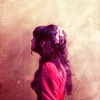
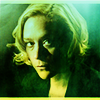
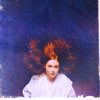
Airymaze • Spankulert • Raiindust
Grid - Use a grid-like pattern or texture in this icon.
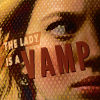
Burntheflaws • Sjlnechnaia • Theotherryan
Stand Out Coloring - This icon must keep the original background, but make your subject stand out from it by coloring the subject and the background noticeably differently; whether it's a b&w subject on a colored background, vice versa, or something else entirely, is up to you!



Teald • Violetraindrop • Watchpoint
Grief - Icon your claim in a deep feeling of sadness or sorrow that can be caused by loss or bereavement. It can also refer to the cause of that suffering.
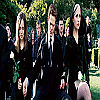
thewizardofoz • thewizardofoz • thewizardofoz
Extreme close-Up - The cropping of your icon should focus on your character's face in a extreme close up.
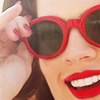
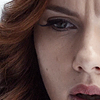
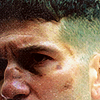
sietepecados • sucksucksmile • scarred_loretta
Song Lyrics - Your icon must have 3 or more consecutive words from any song of you're choice, please put what song you chose when posting icons.
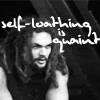

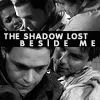
alata_elentari • sexycazzy • angeleyesjg24
Faceless - The subject's face should not be visible.

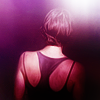
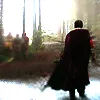
boredess • moderngoddess • ashes1753
Background Full of Text - Use so much text on the background that the background seems to be covered by it.

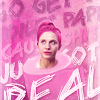

Tinny • Kitamikeita • Sietepecados
Paint Splatters - There should be some visible paint-splattery brush/texture work on your icon.
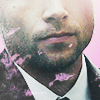
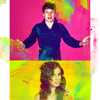
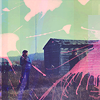
Daisiestea • Motorized • raiindust
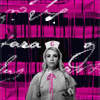
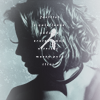
Category Set - Text as Decoration - For this icon you must use text (text textures are ok too), but the text should be used for composition or decoration only, and not be readable. Messy scribbles, too small to read, too big, just a few letters or numbers, cuts off... anything goes!

Lemonzter • Library_of_sex • Starkwars
Artist’s Choice: Your choice so long as it abides by the rules!
TABLE:
If there are any mistakes anywhere, please do not hesitate to let me know. Enjoy the round, can't wait to see everyone's sets. :)


Questions, Commments, Concerns....
Date: 2025-01-19 08:32 am (UTC)Re: Questions, Commments, Concerns....
Date: 2025-01-19 08:44 am (UTC)Re: Questions, Commments, Concerns....
Date: 2025-01-19 09:32 pm (UTC)